 CorsixTH Blog
Hey you! You always loved retro games for their ease of use right? Oh, you didn’t find them very accessible at all?
CorsixTH 0.70.0 will soon be releasing with a bundle of additional enhancements to help make for more accessible gameplay.
Make user interface (UI) big
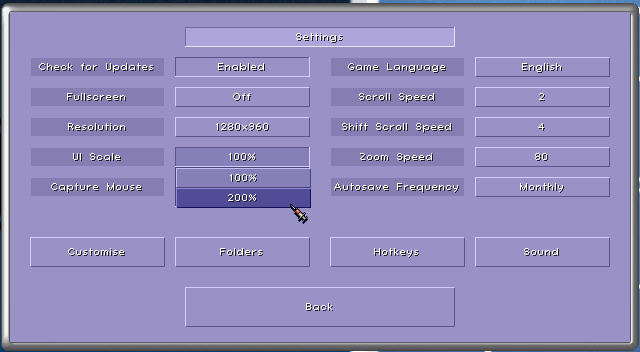
CorsixTH’s biggest requested feature has been a method to make the Game UI bigger for larger resolutions. And finally, BIGGER AND BETTER is possible! You will be able to set UI scaling to 2x and beyond depending on the resolution of your game. You can toggle these from the Settings menu.
Subtitles, please
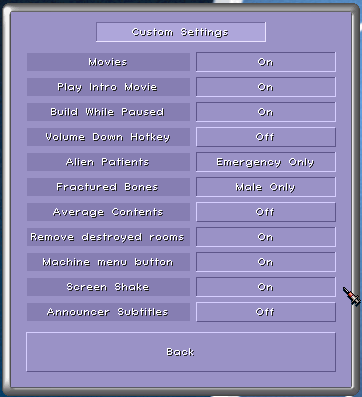
0.70.0 will be adding on screen subtitles for receptionist announcements and machine alarms. These will come on the top left of the screen and disappear over time.
Don’t give me the shakes
Do the earthquake shakes given you a sense of unease? You can now turn these visual elements off and the screen will shake no longer. Both this and the subtitles option can be toggled from the Settings > Customise menu.
Short term advice, long term memory
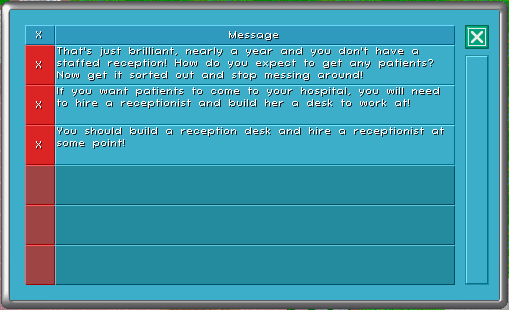
Has the adviser ever said something to you you wish you paid attention to? Well now, you can look back on what was said through the new Adviser History window! It will show you a list of recent advice, and you can even delete the ones you don’t like!
You can access this window by pressing Ctrl + H in game, or through Charts > Adviser History.